One switch, every device
“Sync with iCloud” is below the script list. Turn it on on every device you use. New scripts and changes then reach all your devices signed in with the same Apple ID.
Your script follows your voice. Record your video, add captions and shape your background. Full is also available as a one-time purchase.
New in 4.4
Write on the Mac, prompt on the iPad, record on the iPhone: with 4.4, iCloud keeps your scripts the same on every device signed in with your Apple ID. And scripts arrive straight in the app via AirDrop or “Open with”.
“Sync with iCloud” is below the script list. Turn it on on every device you use. New scripts and changes then reach all your devices signed in with the same Apple ID.
Your scripts are stored in your private iCloud, not with us; title and text are stored encrypted. Recordings stay on the device. The switch is off by default.
If you edited the same script on two devices before they could sync, the newer version stays and the other is added as “(conflicted copy)”. Other devices only delete scripts that have not changed there since the last sync.
Send a text, RTF or PDF file via AirDrop or open it with “Open with” – on the Mac also by dragging it onto the Dock icon. It becomes a new script named after the file. If the prompter or a recording is running, it is only filed away.
The Mac skips 4.3 and gets its new feature with 4.4: with word follow, the spoken word lights up in color, and word follow stays active when a recording starts. Word follow is part of Full.
Available in the App Store from version 4.4. iCloud sync and receiving files are included in every tier, free too.
The Mac version 4.4 is in Apple’s review right now and will follow shortly.
What’s new in 4.4 Guide to 4.4New in 4.3
Available in the App Store from version 4.3. Word follow is part of Full.
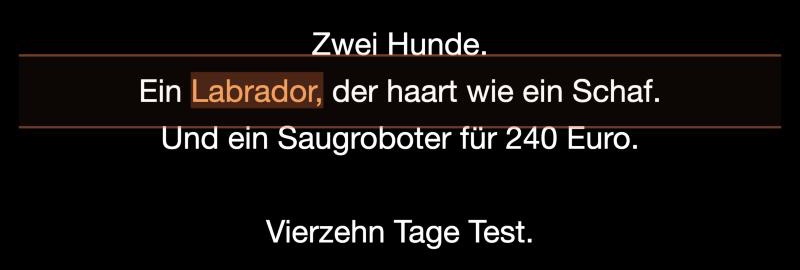
With word follow, the word you are speaking is highlighted in color – in the prompter, on a paired iPhone, iPad and Mac and in the browser display. After looking into the camera, you find your place again at a glance. Only the color changes; lines and the reading line stay where they are.
“Highlight spoken word” is under Mode & Pacing → Word follow and is on by default. The controlling device passes the choice on to all paired displays and the browser display.
Word follow now stays reliably active when a recording starts. On the Mac it could previously switch to fixed speed during the first recording after launch.
New in 4.2
Available in the App Store from version 4.
Pause the prompter, choose the pencil, edit your script and apply. Cancel discards your changes. Editing is unavailable during countdown or recording.
The one-time Full trial runs for 30 minutes from its first start. Correct your script and record more takes. Navigation and restarting do not extend the original deadline.
Light trails, a new brand animation and the handwritten signature “by Bodo Kern”. Skippable; the intro is omitted when Reduce Motion is enabled.
Version 4.1 cuts you out from your background in PostFX and puts a new one behind you. It also adds eight handmade caption styles and text that sits behind you. Everything is part of Teleprompter Full – no extra purchase.
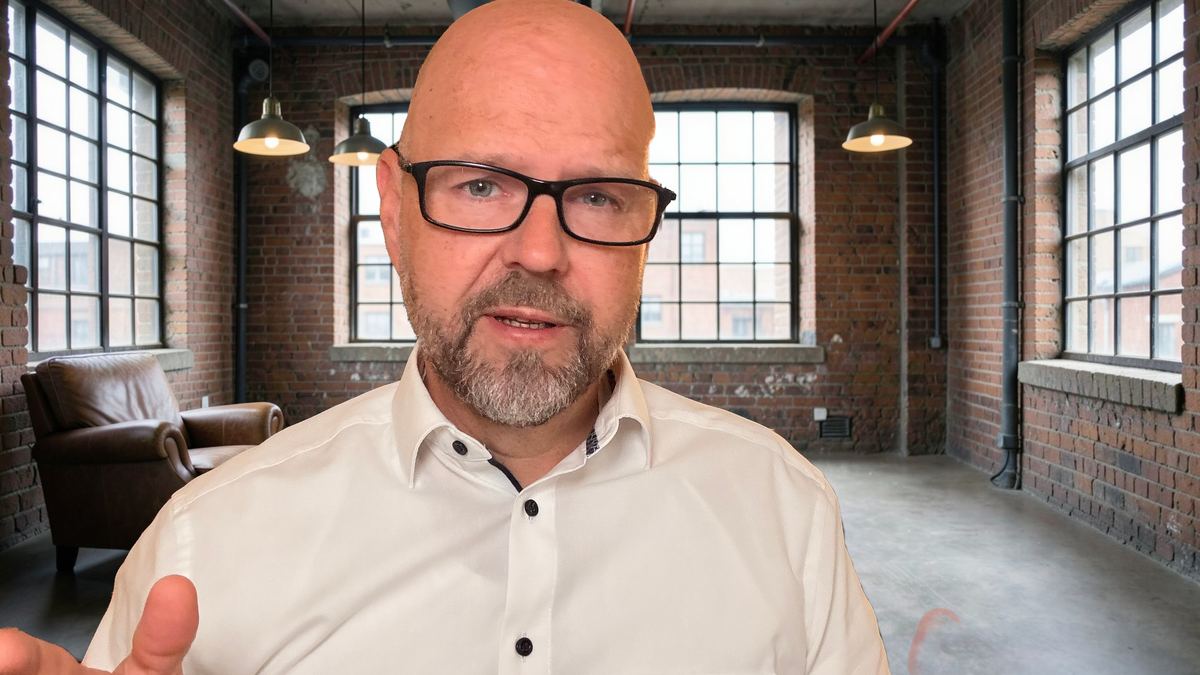
The app detects you on the device and separates you from the background – or you record in front of a green or blue screen. The original stays untouched.
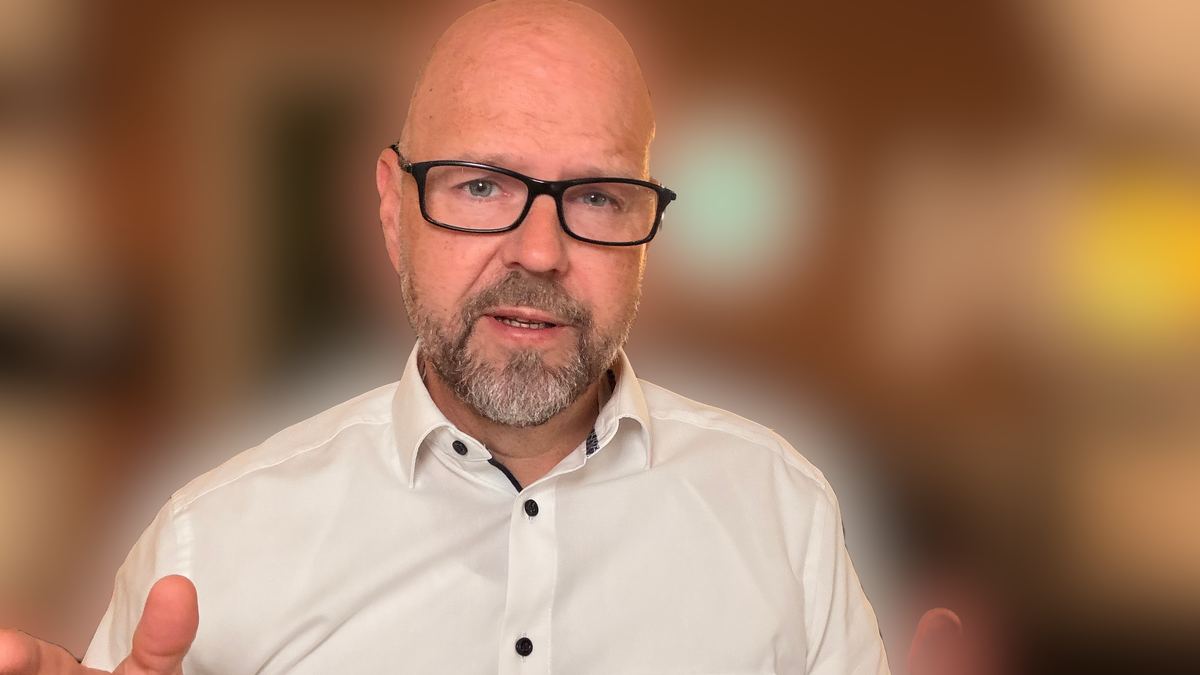
Pick one of 28 included backdrops, a blur, a color or a photo of your own. You see a preview while recording; the final result is rendered afterwards in high quality.
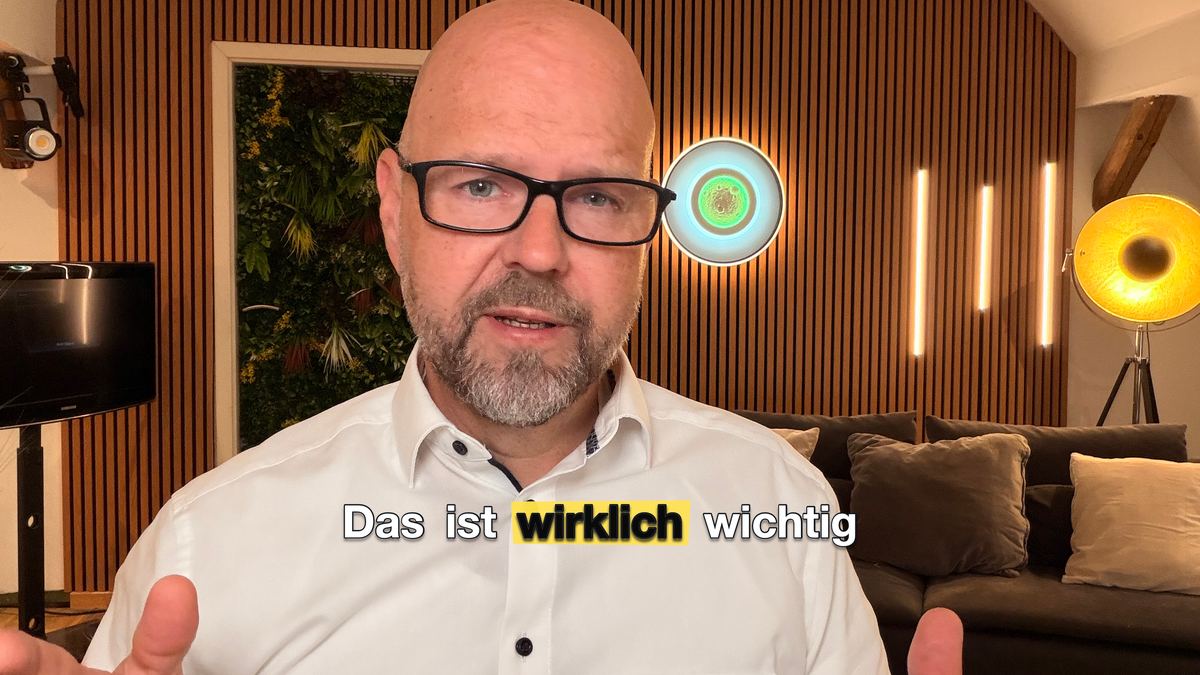
Among them cursive, notebook, chalk, highlighter, circled, scribble underline and sticker. That makes 84 styles in total.
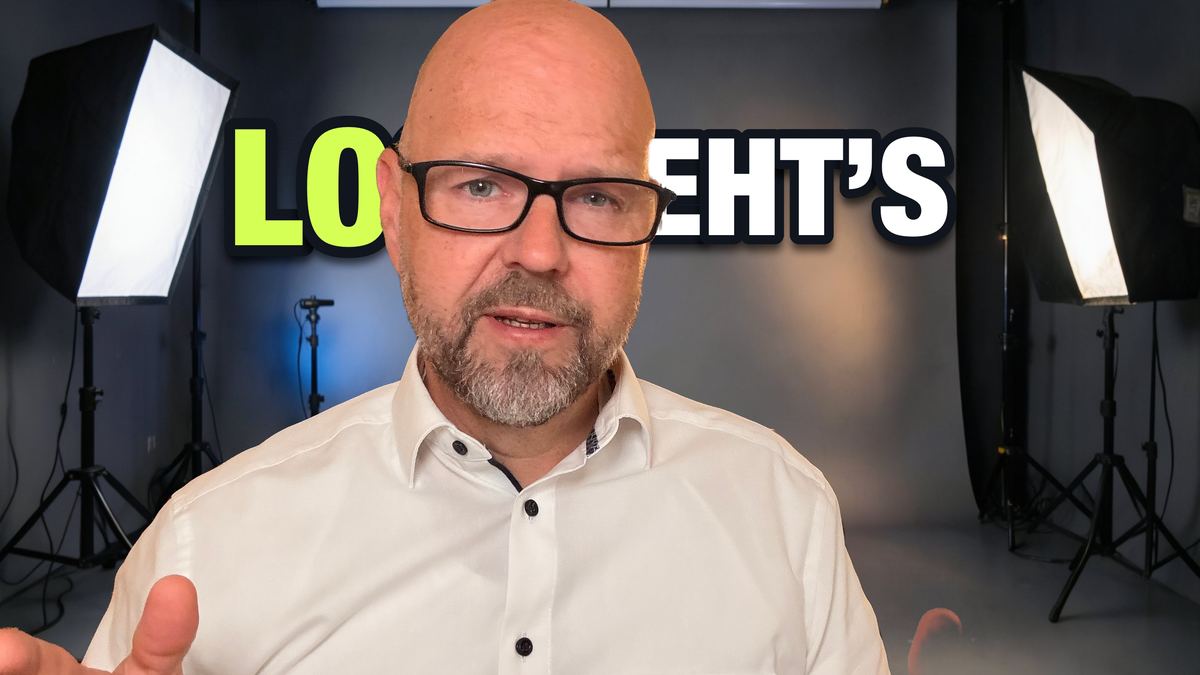
Large lettering sits behind you instead of in front: in the finished video, the app places you over the captions.
Version 4.1 brings captions with 84 styles and 3 brand templates, automatic color correction, projects for scripts and recordings and a redesigned Studio interface – plus the optional on-device Gemma AI model on Mac.
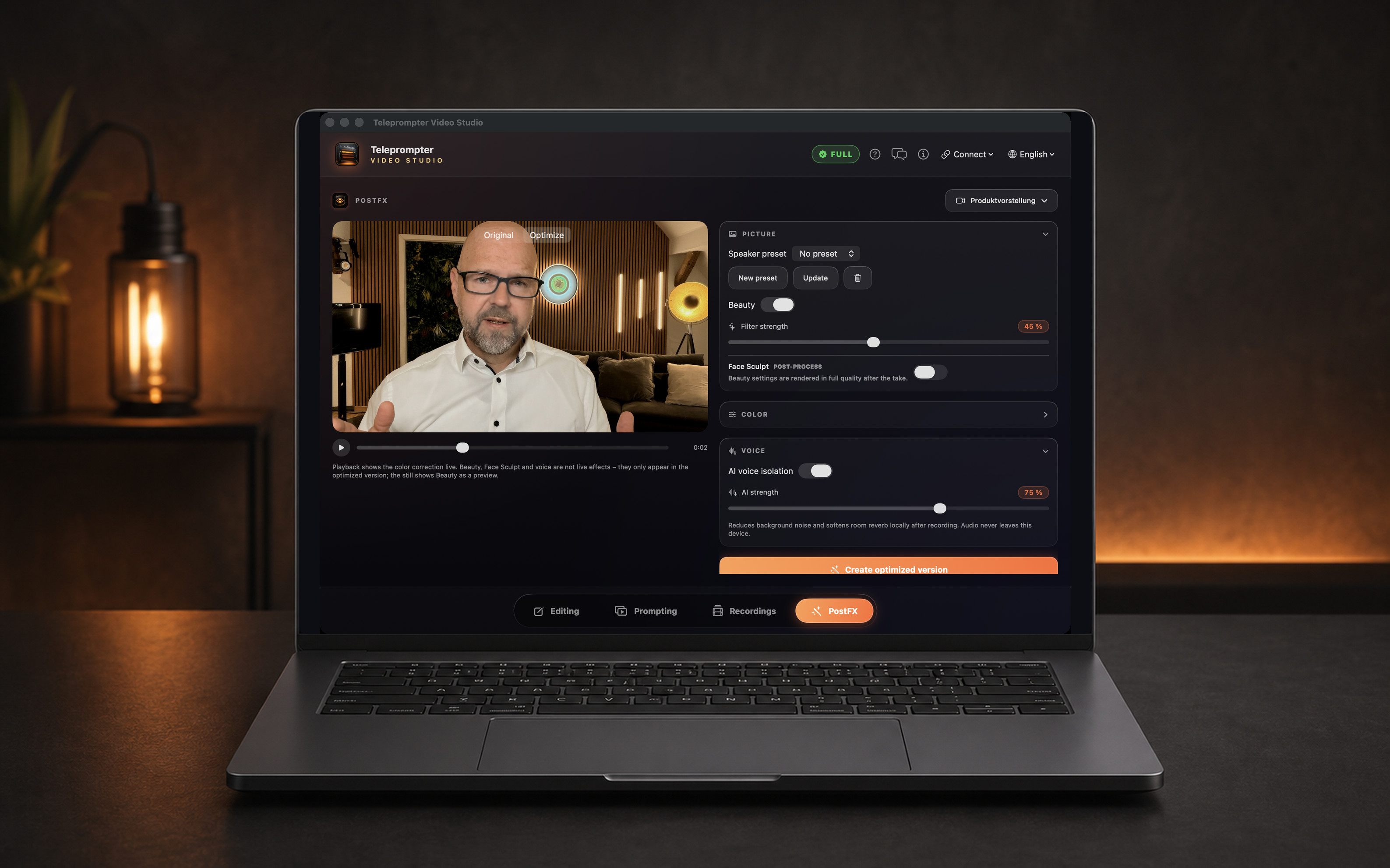
After recording, the app recognizes the spoken text on the device. You correct it, pick a style and adjust font, colors and position. The result is a video copy with burned-in captions – or an SRT or VTT file. The original stays untouched.
84 styles from Bold Pop to Newsroom and 3 brand templates in your colors – each with a real preview. Save your own templates for the next video.
Exposure, contrast, saturation, color temperature, tint and vibrance – live during playback. Auto color correction suggests a starting point you fine-tune; “Original” always shows the comparison.
The camera image fills the screen, the controls sit at the bottom and settings open when you need them. Recording starts right away – no switch to a separate full-screen view.
One complete prompter run with every Full feature. Then you decide: one week or forever.
Projects keep scripts and takes together. “Recordings” shows thumbnails, and on iPhone and iPad you send scripts as text or PDF – via AirDrop, Mail or Messages.
Improve, shorten, correct, rephrase and translate on the device. On Macs with Apple silicon, optionally with Gemma 4 E4B; 16 GB of memory recommended. Apple Intelligence requires OS 26 and a supported device. Downloadable local models require a supported device with at least 8 GB of RAM and a completed download.
A short feature overview of the camera and word tracking. Both are included in Teleprompter Full.
A calm interface, three clearly separated scrolling modes, and professional tools when you need them.
Fixed speed, microphone advance, or spoken-word tracking aligned with your reading line.
Preview behind the text, portrait or landscape, lens selection, and HDR where supported.
Local voice isolation and reverb reduction with a quarter of the former compute time – as an optimized version next to the original.
Pair Mac, iPhone and iPad and use Apple Watch as a remote. Scan a QR code and a compatible browser becomes a prompter display – giving even an older tablet a new role beside your camera.
Type, dictate, photograph or import. Improve, shorten and translate with on-device AI.
Your recordings create an increasingly personal estimate of speaking time.
Voice Isolation and reverb reduction run locally. Preview the sound directly in the app before recording.
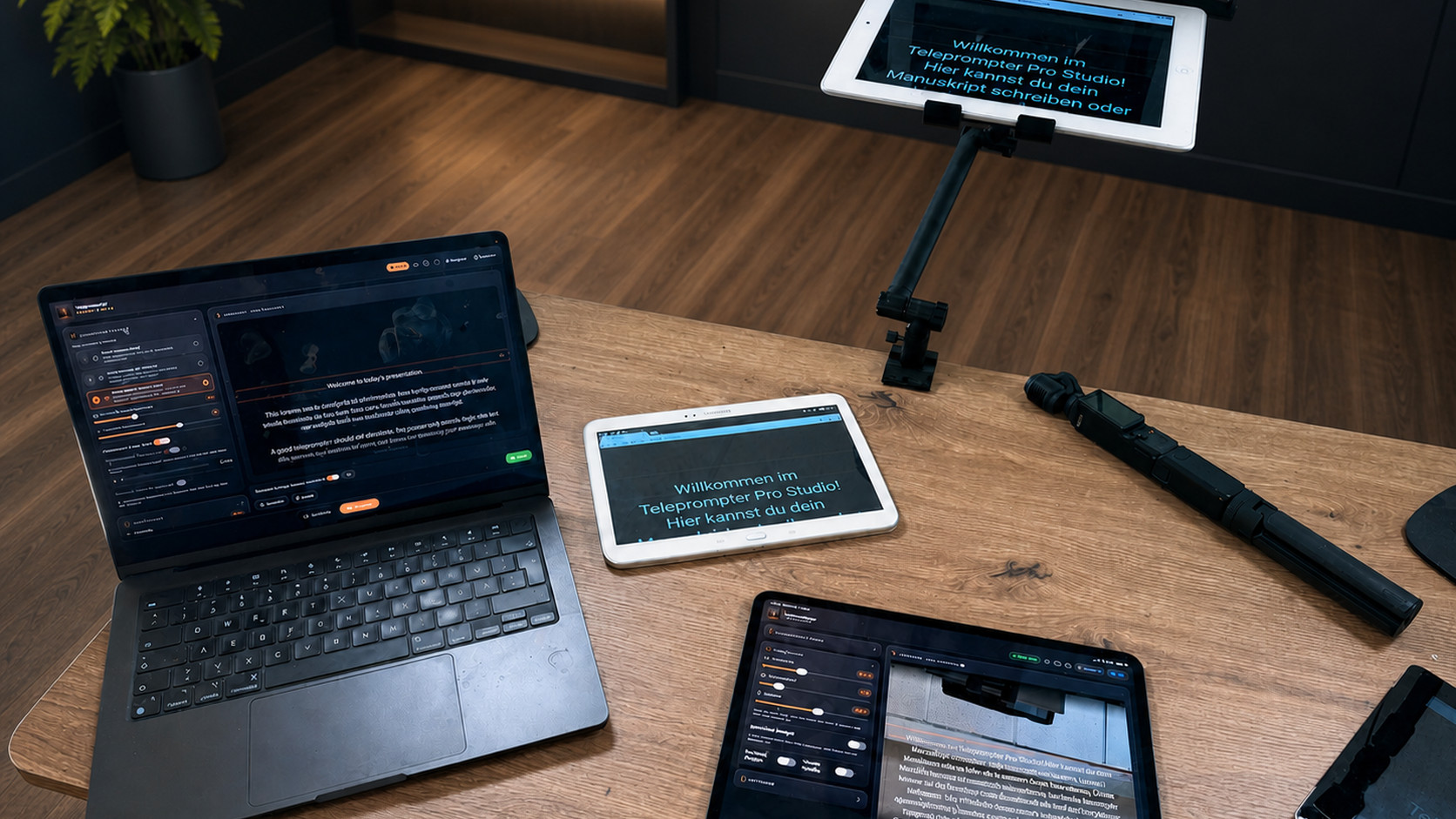
Pair your devices and control the entire session from where you stand.
See your framing directly behind the script while keeping every important control in view.
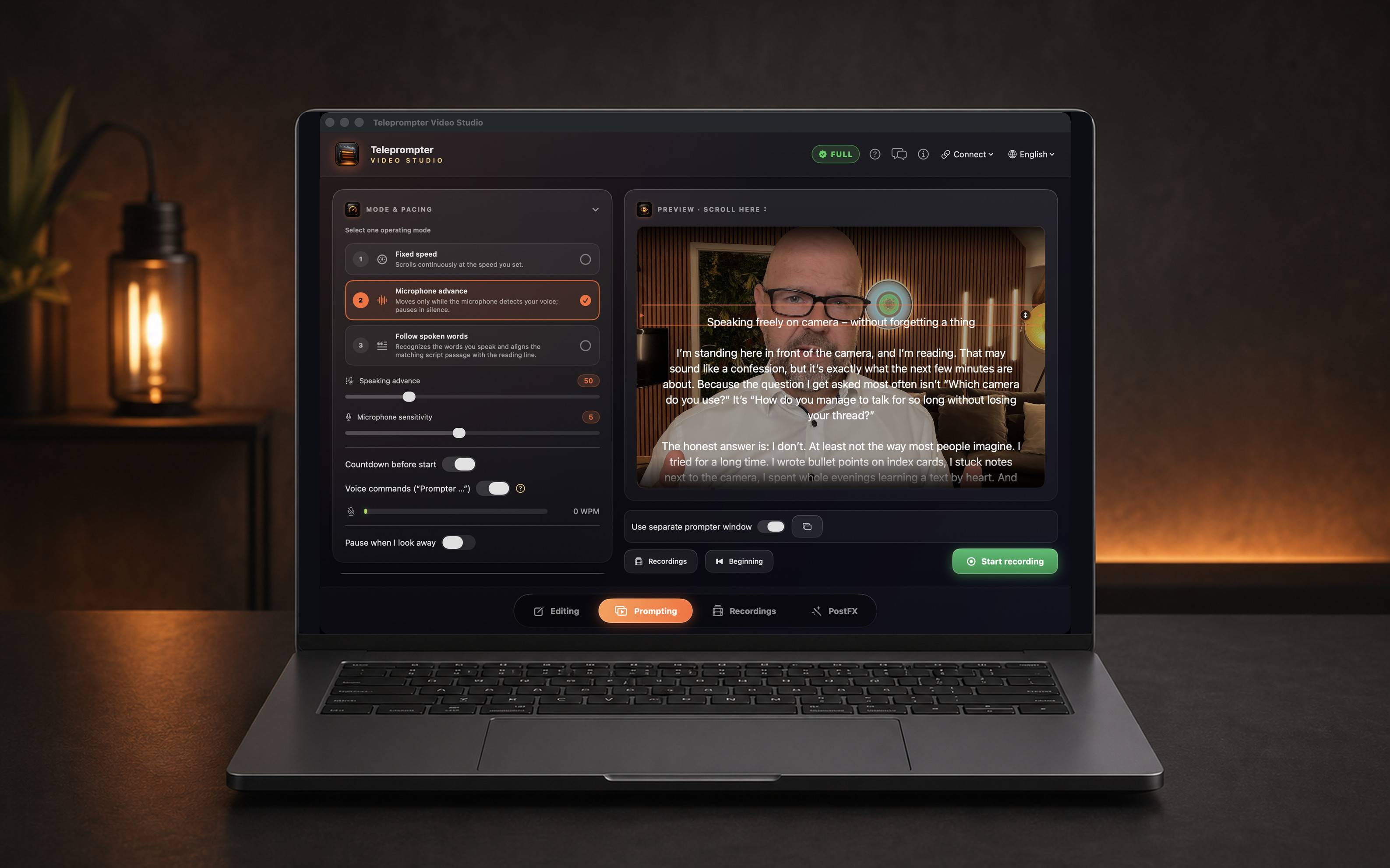
Camera, format and lens beside the large live preview – color and voice are edited afterwards in PostFX.
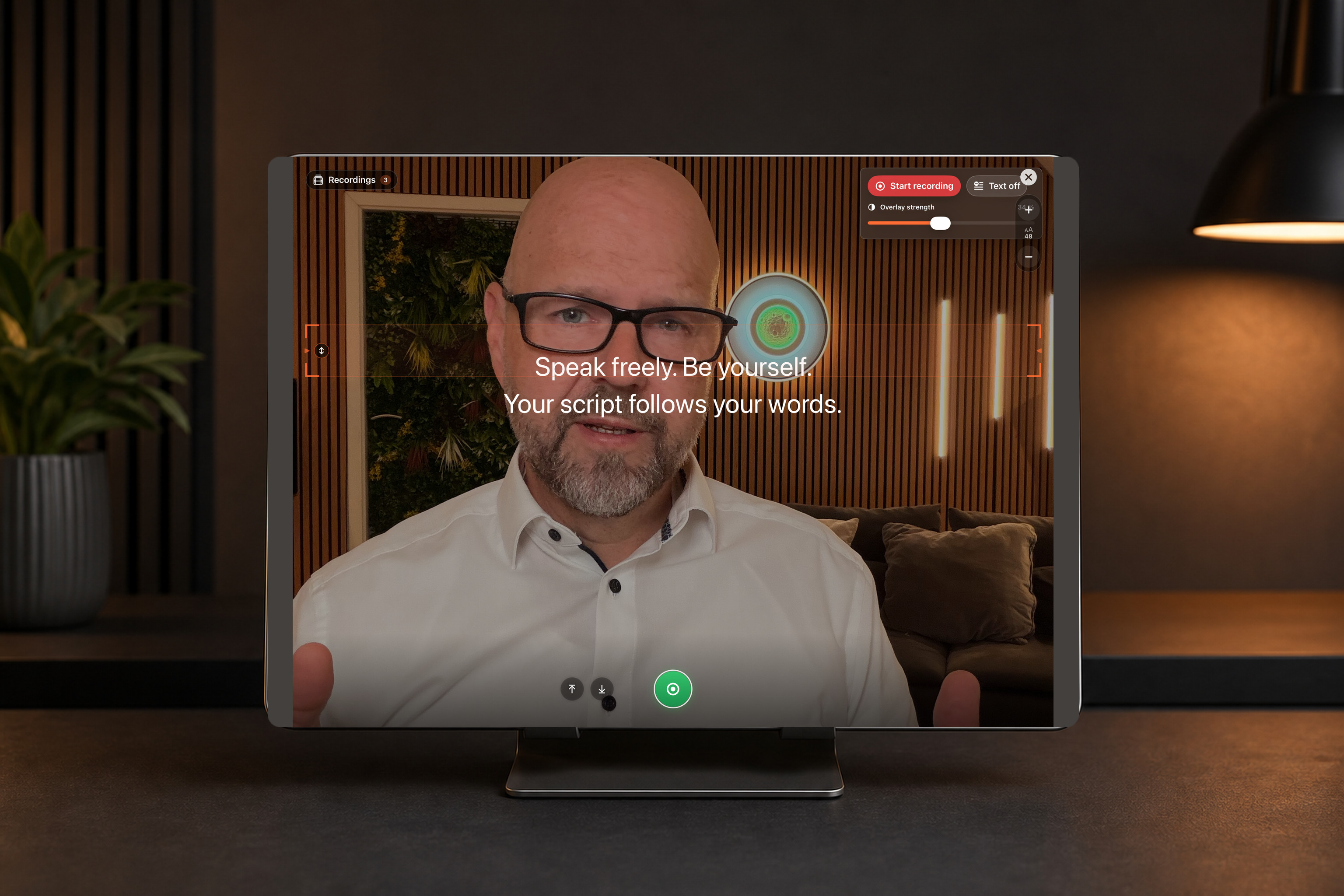
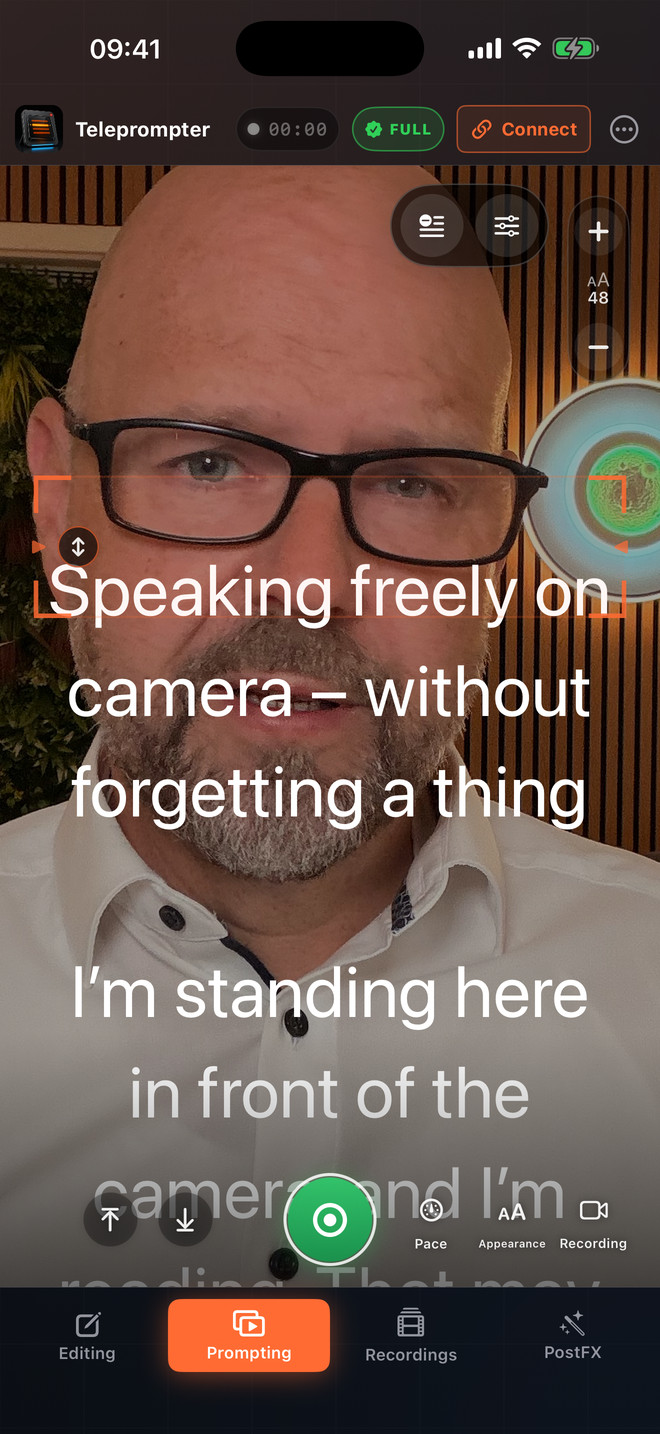
The camera image fills the screen with your script large on top. Pace, Appearance and Recording open when you need them.
Prompt, use the camera, and record in portrait – directly on iPhone with the same three voice modes.
On iPhone, the prompter page is a stage: the camera image fills the screen, your script sits large on the reading line and the controls are at the bottom. Then you finish your video in PostFX – with captions, color and voice.
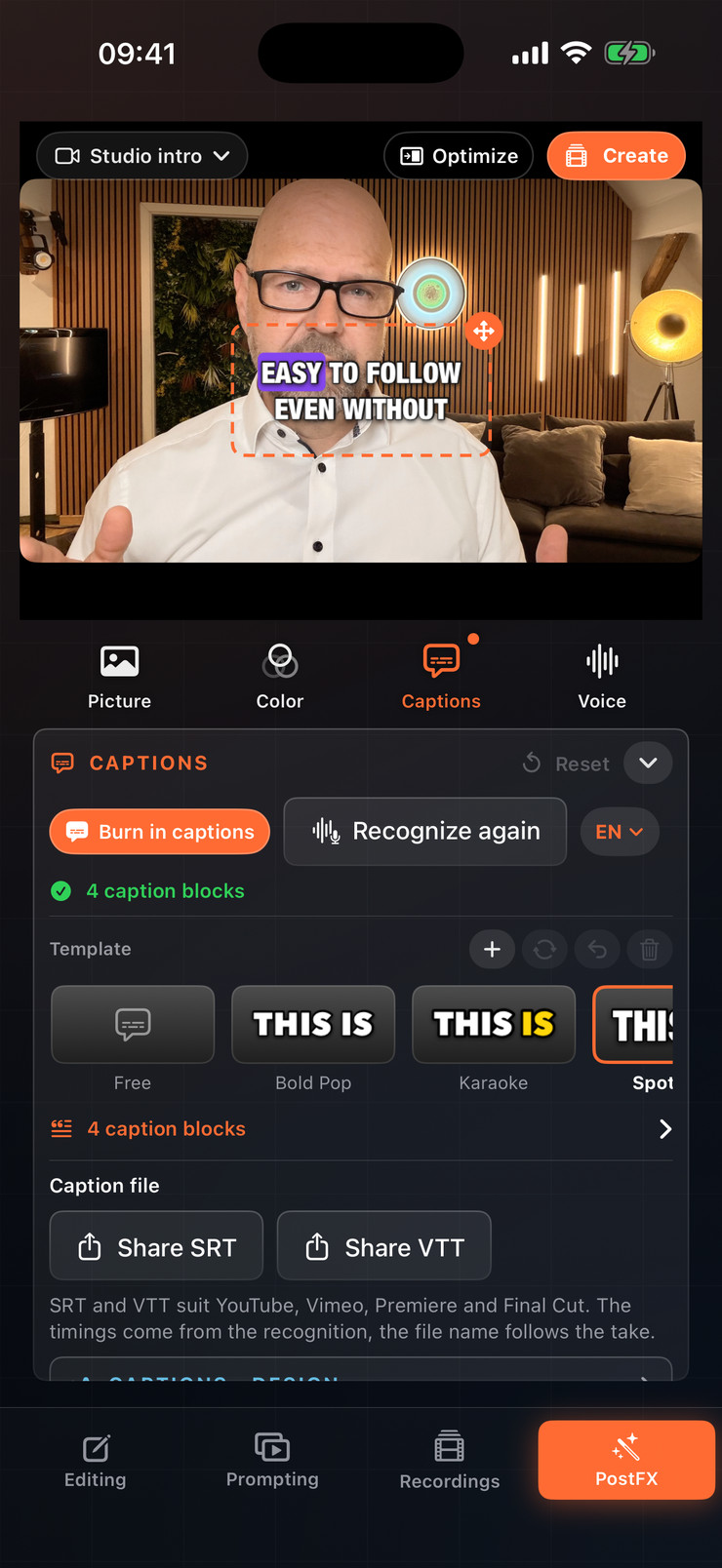
Tap a template, correct the text, move the captions within the frame – and share a video copy or SRT/VTT.
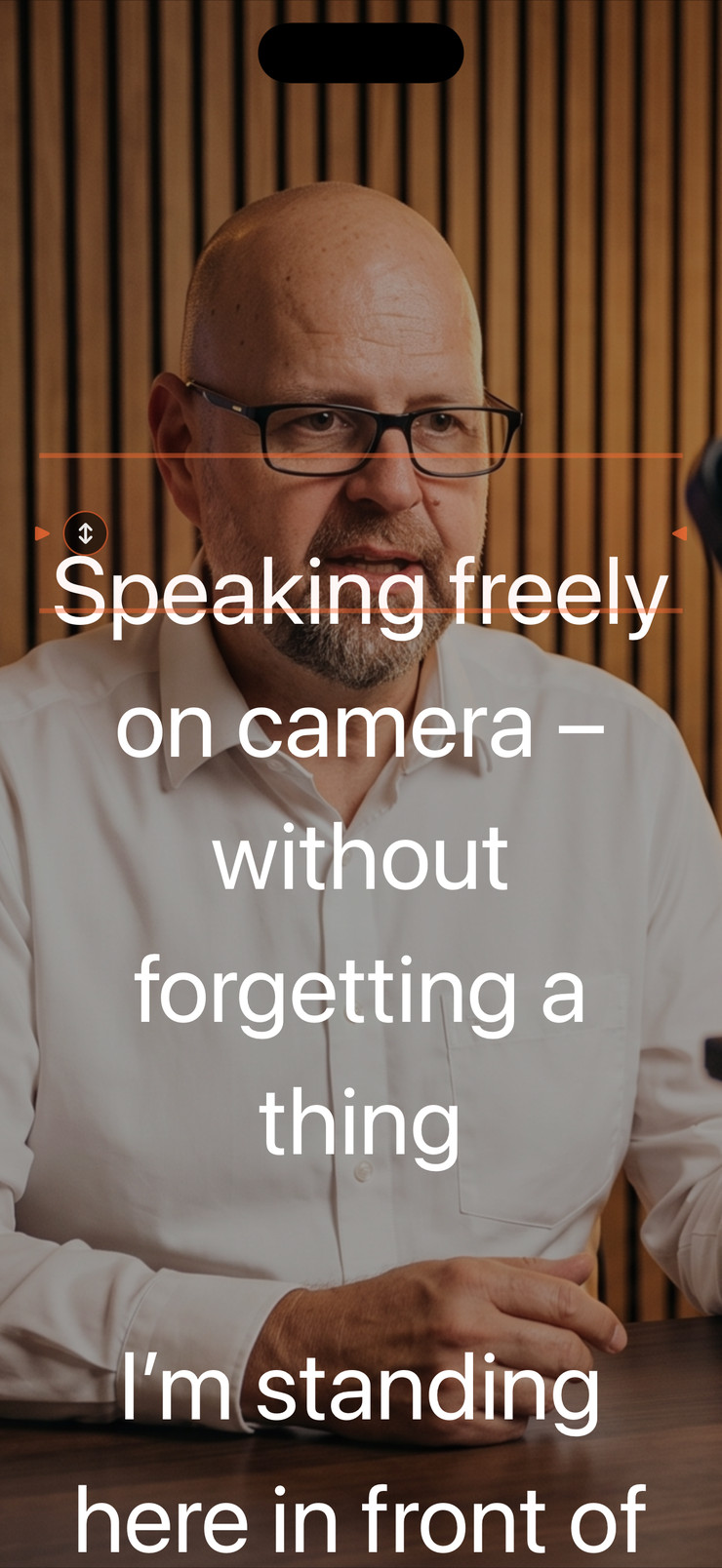
The controls fade out during the take. You see your gaze, your framing and your script – nothing else.
Choose fixed speed, microphone advance, or precise spoken-word tracking.
See the camera image behind your script and start the whole session with one tap.
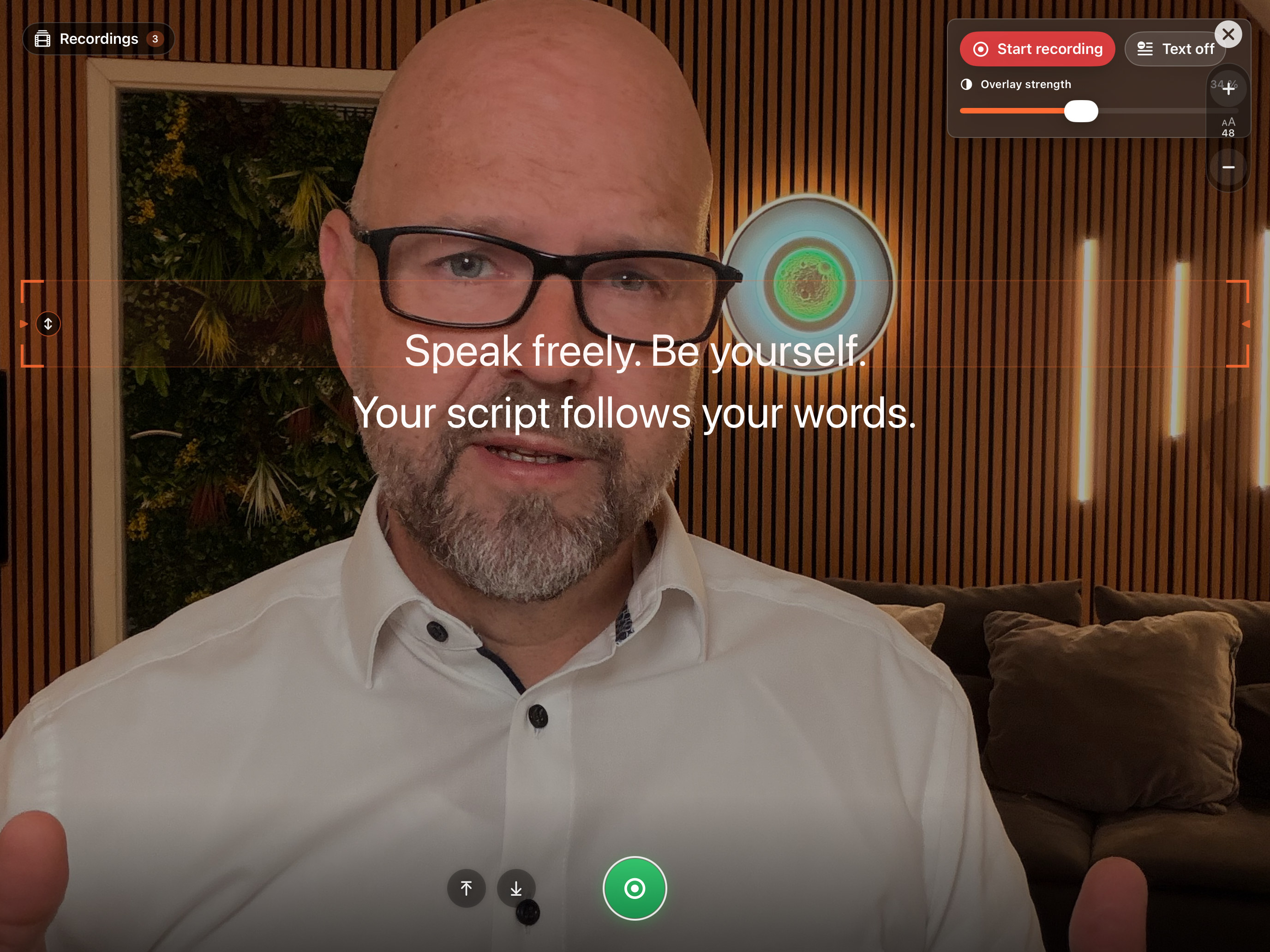
Move the reading line close to the lens and keep your audience in sight.
The free version stays usable with no time limit. Full comes as a one-time free trial run, a weekly subscription, or a one-time Lifetime purchase. The App Store shows the binding price for your country before you buy.
Write, organize, and prompt at a fixed speed — with no time limit.
Try it free first, then for a week or forever. The weekly subscription and Lifetime apply to all supported devices using the same Apple Account.
Important: buying Lifetime does not automatically cancel a running weekly subscription. Cancel it yourself in your Apple Account subscriptions – otherwise Apple may keep charging weekly.
The app is free on the App Store and stays usable with no time limit: write scripts, create unlimited projects, and prompt at a fixed speed. The full version, “Teleprompter Full”, comes three ways: a one-time free trial run with every Full feature, a weekly subscription (renews automatically, cancel anytime in your Apple subscriptions), or a one-time Lifetime purchase. Full unlocks voice control, video and audio recording, captions, AI text tools, mirror mode, device pairing, and the Apple Watch remote. Important: buying Lifetime does not automatically cancel a running weekly subscription. The App Store shows the price for your country before you buy.
There are three modes. Fixed speed scrolls steadily. Microphone advance moves the text only while you speak and pauses when you stop. Word tracking recognizes the words you actually say and brings the matching passage of your script onto your reading line.
Yes. The weekly subscription and Lifetime apply to all supported devices using the same Apple Account. Mac, iPhone, and iPad pair over the local network: one device controls, the others display the text. The Apple Watch acts as a remote for start, stop, speed, and position.
No. There is no required account, no advertising, and no tracking. Scripts, projects, speaking profiles, and recordings stay on your device. Speech recognition runs on-device where supported; depending on language and device, Apple Speech may use a network connection. Neither your audio nor your transcript ever reaches the developer.
Yes. The camera image sits behind the text, in portrait or landscape, with lens selection and HDR on supported cameras. One press of Start begins countdown, text, and recording together. Only the clean camera image with sound is recorded — the text is never burned in. Audio-only recording for podcasts is available too.
Yes. Mirror mode flips the text horizontally, the way beam-splitter glass in front of the lens requires. For a normal monitor, mirroring stays off.
The interface is available in 14 languages: German, English, French, Spanish, Portuguese (Brazil), Italian, Japanese, Chinese (Simplified), Korean, Swedish, Norwegian, Danish, Finnish, and Dutch. Dictation, pace measurement, and voice commands each work in the selected language.
Yes. With the microphone on, the app responds to voice commands: “Prompter stop” pauses, “Prompter go” resumes, “Prompter restart” jumps to the top, and “Prompter back” rewinds slowly. The leading wake word “Prompter” keeps your script text from triggering a command by accident.
Free with no time limit: writing and importing scripts, unlimited projects, the full-screen prompter at a fixed speed, reading line, font size and countdown, plus the Simple view on iPhone. No account is needed and there are no ads. Paid (Teleprompter Full): word tracking and microphone advance, video and audio recording, captions, AI text tools, mirror mode, device pairing, and the Apple Watch remote.
Yes. The full version is available as a one-time Lifetime purchase: pay once, use it for good, on Mac, iPhone, and iPad with the same Apple Account. The weekly subscription is only an optional alternative for short projects. Before buying, you can try everything once in a free trial run.
The app runs on your iPhone, iPad, or Mac and shows a QR code for the browser display. Scan it with the old tablet on the same Wi-Fi, and its browser becomes the prompter display – no app has to be installed on the tablet. You control text, speed, and start from the main device. The tablet needs a compatible browser; the browser display is part of Teleprompter Full.
The text has to sit as close to the lens as possible. On iPhone and iPad, it appears in a window over the camera image while recording; you move it next to the camera and resize it with two fingers. Word tracking keeps the passage you are saying on the reading line, so your eyes barely move. For cameras with teleprompter glass, there is mirror mode.
Yes. After recording, the app recognizes the spoken text on the device. You correct it, pick one of 84 styles – many of them animated, such as karaoke, pop, or typewriter – or one of 3 brand templates, and export a video copy with burned-in captions. Alternatively, share the captions as an SRT or VTT file. The original stays untouched.
The app is available for Apple devices only: iPhone and iPad with iOS 17 or later, Mac with macOS 14 or later, Apple Watch with watchOS 10 or later. There is no app for Android or Windows; such devices can only follow along as a browser display. There is no cloud sync and there are no team accounts – scripts and recordings stay on the device.
No required account, no ads, and no tracking. Scripts, projects, voice profiles, and recordings stay local. Speech recognition runs on-device where available; depending on language, device, and Apple services, Apple Speech may use a network connection. We receive neither your audio nor your transcript.
Privacy in detailDownload free and use it with no time limit. Full is available as a free trial run, a weekly subscription (renews automatically, cancel anytime), or a one-time Lifetime purchase. Buying Lifetime does not automatically cancel a running weekly subscription. The App Store shows binding prices before purchase.